A business that receives steady WhatsApp messages eventually notices the same pattern. Customers send questions one after another, replies slow down, a few chats slip away, and the entire communication cycle feels heavy.
A single person tries to manage everything from product questions to shipping updates, and the inbox slowly becomes more stressful every hour. Growth brings more traffic, and without a system, the team starts losing control.
A proper structure for handling WhatsApp messages changes the situation completely. That is the role of multi-agent routing, a method that distributes incoming chats across your team in a clean and organised way.
A tool like WAppChat turns one WhatsApp number into a shared workspace where every message finds the right person without delay. Instead of scrambling through lists, each agent receives only the chats they need to handle.
What Multi-Agent Routing Means for a Business #
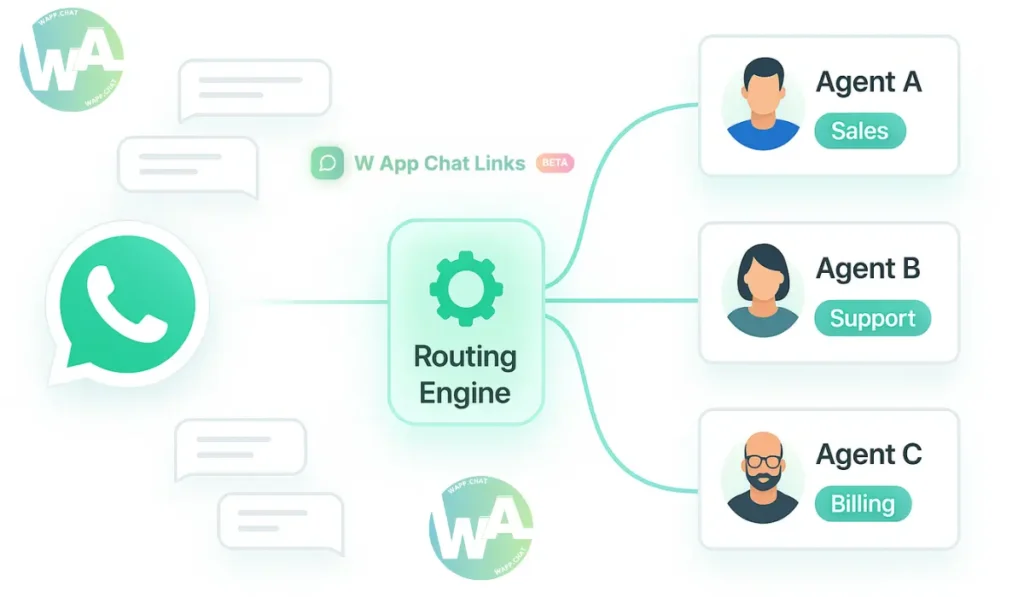
Multi-agent routing sends each incoming WhatsApp message to the most suitable team member. Rules decide where each chat should go.
You may set rules for keywords, time of day, campaign links, or even QR scans from a store. Once the message reaches WAppChat, the system identifies the category and assigns an agent within that group.
- A marketing inquiry goes to the marketing team.
- A billing question goes to the billing team.
- A shipping update goes to logistics.
This creates clarity inside the team. Everyone knows what they should work on. The inbox no longer feels like a random collection of messages. It becomes a structured workflow with clean paths.
Why Routing Matters More Than Ever #
Growing brands receive messages from all directions. Instagram, ads, websites, QR codes, and returning customers keep sending new questions.
Without routing, every message stays in one long thread, and response time grows slower with each hour. That delay harms both trust and conversions.
Multi-agent routing solves those friction points.
- No missed messages because the system assigns responsibility instantly.
- Faster replies because teams avoid stepping on each other's work.
- Clear tracking because managers know exactly who handled every conversation.
- Better teamwork because workload stays evenly spread throughout the day.
A customer who receives a quick reply always feels more positive about the brand.
How WAppChat Handles Routing Behind the Scenes #
A routing setup inside WAppChat begins with team creation. You add agents, assign them to groups, and create rules that match your business flow. The system understands these rules and sends each chat to the correct place the moment it arrives.
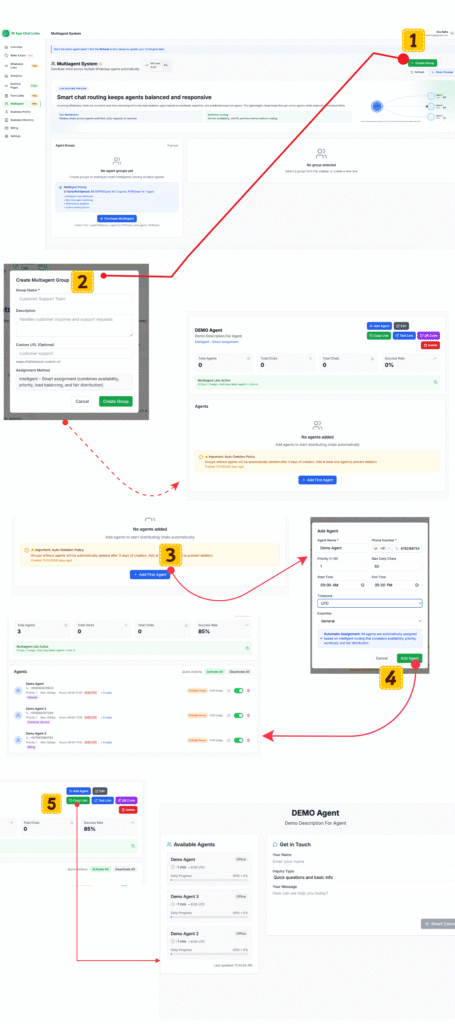
Here is how the structure works.
- Keyword Triggering
A customer message containing "order," "price," "buy," or "product details" moves automatically to the sales team.
-
A message containing "invoice," "refund," or "billing" moves to the accounts team.
-
Link-Based Behaviour
A WhatsApp link placed inside your Instagram bio routes chats to your marketing team.
- A link placed in a Google ad routes chats to your sales team.
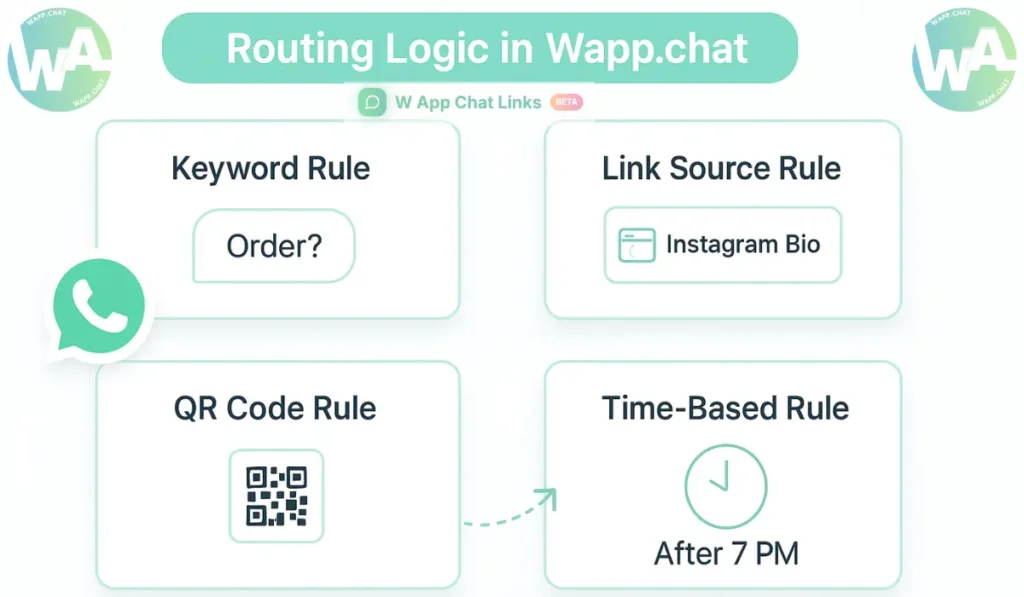
- QR-Based Routing
A QR code printed on store receipts routes chats to your store desk agent.
- A QR code displayed on packaging routes chats to your support team.
Here is a clean table showing how routing works in practical situations.
The entire flow becomes visible inside the WAppChat dashboard. You see chats arranged by status, priority, team, and performance. Nothing feels hidden or lost.
Team Organisation Without Overlap #
Internal confusion inside teams usually comes from missing ownership. When messages are not assigned clearly, two agents reply to the same customer or no one replies at all. Routing eliminates that problem from the first step.
Each agent receives only the chats assigned to them. No one has to ask around for progress, because WAppChat shows chat tags like "Pending," "In Progress," and "Closed."
Here is a real example for a home décor brand.
The team works with a steady rhythm. There is no stress about who should reply next. Managers can step in when a chat remains open for too long.
How Analytics Strengthen the Process #
Routing helps the team, but analytics help the business. The WAppChat dashboard presents a complete report for every agent.
You can see how many chats they answered, how fast they replied, and how quickly they resolved the conversation. These numbers show where your team is strong and where it needs support.
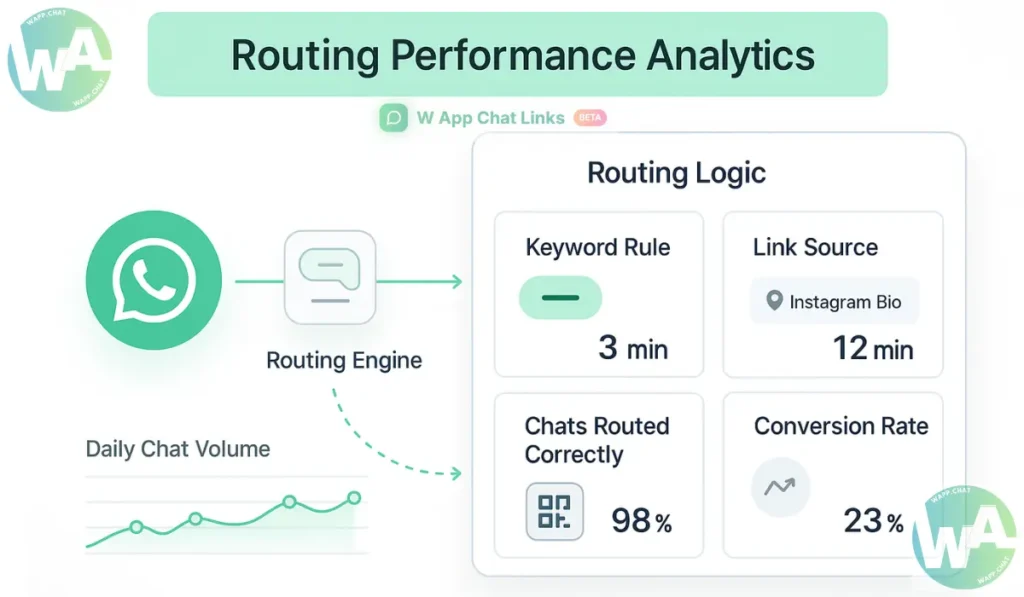
Here is a look at the main analytics and their value.
Managers can review these reports weekly and adjust team roles accordingly.
Tips to Make Routing More Effective #
A routing system works best when categories stay clean and straightforward. You can create separate categories for sales, support, returns, general queries, or location-based enquiries. Each category uses its own rule set.
Below are practical tips for smoother routing.
- Create precise chat categories to avoid overlaps.
- Add greeting templates for each department to maintain consistency.
- Review shift timings regularly so only active agents receive chats.
- Balance roles by rotating certain tasks on busy days.
- Keep routing rules updated during promotions or seasonal campaigns.
Clear structure brings stability to your daily work.
Example: A Fashion Store That Changed Its Entire Workflow #
A fashion store in New York faced growing WhatsApp traffic. Customers asked about size charts, returns, refund rules, and delivery delays.
Two people replied manually on one phone, and response times grew slower. After enabling routing inside WAppChat, every category found its correct team automatically. Size questions reached the product team, exchange requests reached the support team, and shipping updates reached logistics.
The improvement was immediate. The average reply time fell from thirty minutes to under five. Customers received updates more quickly. Returning customers reported higher satisfaction. Repeat purchases increased because service felt more dependable.
Common Mistakes Businesses Should Avoid #
Businesses sometimes create too many rules at the start. That leads to overlaps that confuse both the system and the team.
A simple rule set works better. Another mistake is forgetting to update agent availability. An inactive agent should not receive new messages. WAppChat makes it easy to assign or remove availability in real time.
Some teams also forget to update welcome templates during campaigns or holidays. Customers feel disconnected when the reply message does not match the campaign they came from. Regular updates solve this issue easily.
Why Multi-Agent Routing Builds Trust Over Time #
Customers prefer quick replies because they want clarity. When your business answers with speed and accuracy, they begin to trust the process.
They see that you take questions seriously and value their time. A dependable communication pattern encourages them to return more often.
Multi-agent routing supports this long term. It keeps your team organised without adding more tools. One WhatsApp number becomes your entire support system, powered through WAppChat.
Conclusion #
Multi-agent routing brings order to WhatsApp communication. A team that once struggled with scattered messages now works inside a clean system that assigns chats correctly, tracks progress, and supports faster replies.
WAppChat builds that structure without forcing your team to change their natural workflow. Everything stays in one number, one dashboard, and one organised loop.
At the end of the day, a customer only remembers how quickly and clearly you replied. That is exactly what routing helps you deliver every single time.
FAQs #
What does multi-agent routing mean in WhatsApp communication? #
It means a system automatically assigns incoming chats to specific team members based on rules such as keywords, time of day, or link sources. Each message finds someone responsible without manual sorting.
Why do businesses need routing instead of manual handling? #
A manual process collapses the moment message volume increases. Routing keeps response times steady, prevents missed messages, and avoids situations where two agents reply to the same customer.
Can a single WhatsApp number support an entire team? #
Yes. WAppChat converts one WhatsApp number into a shared workspace for the full team. Routing rules decide which agent receives each chat, so there is no need for extra devices or additional business numbers.
How can managers track team performance after routing is active? #
The analytics dashboard inside WAppChat shows total chats handled by each agent, average reply time, resolution time, and conversion ratio. Managers use these insights to refine team structure and improve service quality.
Written by
Sourabha Kumar Sahu
Founder of WAppChat, building tools that help businesses grow with WhatsApp.