A small business depends on clear communication, quick replies, and smooth contact with customers. Most people feel more comfort sending a message than making a call, so WhatsApp naturally became the first place where customers reach out.
This shift created a new problem for business owners. They need a tool that manages links, tracks clicks, measures performance, and organizes the flow of conversations.
A group of tools tries to solve this. WAppChat, Bitly, and WA.link are the most used ones. Each tool helps you create WhatsApp links, although the strength and depth of features show a very different story once you compare them properly.
Why WhatsApp Link Tools Matter #
A WhatsApp link creates an instant doorway to a real conversation. You can place it inside ads, QR codes, websites, receipts, or social media bios.
When someone selects that link, they reach your chat window at once. This reduces friction and makes contact much easier.
A key difference appears when you move from small usage to full campaigns. Basic tools only create short links.
Advanced platforms like wapp.chat organize data, route customer messages to the right staff member, and study customer behavior. These layers help a business stay structured instead of scattered.
What Small Businesses Usually Need #
A typical small business depends on features that support growth and reduce workload.
- Branded WhatsApp links that can be tracked
- QR codes for offline marketing
- A dashboard that studies clicks and customer actions
- Routing for teams of any size
- Smooth use with ads, email newsletters, and websites
A comparison becomes clearer when you place these needs against the available tools.
Feature Comparison Table #
The comparison makes something quite clear. WAppChat focuses entirely on WhatsApp communication while the other tools stay general.
WAppChat: Built for Business Communication #
A business owner gets a simple start with wapp.chat. The dashboard lets you create a WhatsApp link with a message such as "Hi, I want to know more about your service".
The system shows how many people scanned your QR code, how many opened the link, and how many started a chat. It also shows the average response time and the busiest hours.
Highlights of WAppChat #
- Built for WhatsApp based communication
- Tracks both clicks and chat actions
- Supports routing for team members
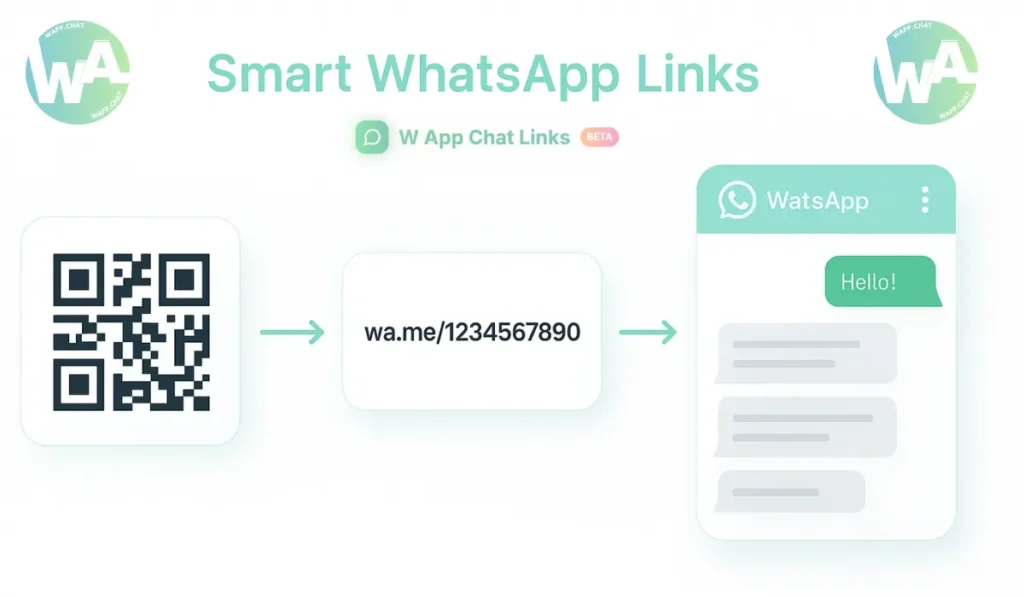
- Creates branded QR codes with colors and logos
- Works smoothly for offline and online campaigns
A small business owner feels more confident with everything inside one panel. There is no need to jump between link tools, spreadsheets, and chat apps.
Bitly: A General Purpose Link Shortener #
Bitly became popular for shortening long URLs. The tool works well for websites, blogs, and social media. A WhatsApp link can be shortened there, although the process ends at that point. It does not show how many chats started or how many customers returned through those links.
Pros #
- Fast creation of short links
- Branded domains supported
Cons #
- No WhatsApp related analytics
- No QR customization
- No routing or chat tracking
Bitly fits general online use but does not support the deeper communication needs of small WhatsApp dependent businesses.
WA.link: A Basic WhatsApp Link Maker #
WA.link helps you create a simple WhatsApp link with a message. It suits small setups or personal projects. The free version is useful, although the limits appear once the chat volume grows or once you start running larger campaigns.
Pros #
- Easy to understand for beginners
- Free version available
- Quick link creation
Cons #
- No detailed analytics
- Limited QR code styles
- No routing or team support
This tool works well for early testing but becomes shallow once your communication grows.
Real Case Study: One Small Store's Test #
A small electronics store in Houston tested the three tools for one month. They ran the same offer which said "Chat to get 10 percent off accessories".
Here are the results they recorded.
The owner reported that wapp.chat gave a clear picture of peak hours, staff reply timing, and customer return rate. This made planning much easier.
Why Small Businesses Prefer WAppChat #
A growing business needs more than link creation. It needs a system that keeps marketing, support, and sales under one place. WAppChat does this without confusion and without adding complexity.
Key Strengths #
- A central panel to manage every customer message
- Routing for both small and large teams
- QR codes that support offline campaigns
- Smooth use inside websites and digital ads
- Clear data that supports confident decisions
These features turn WhatsApp into a strong business communication hub instead of a basic chat window.
Avoid Mistakes While Choosing the Right Tool #
Some owners select a tool that looks easy at first but lacks essential depth. They later realize that they cannot study chat behavior or manage staff replies. You should also avoid separating link tracking from chat tracking because that creates extra work.
Another mistake appears when owners do not plan for team growth. A growing business needs message routing so customers do not wait. A tool that supports teams from the beginning solves this problem.
Final Comparison Overview #
A short summary shows the final pattern very clearly.
You can see how WAppChat helps deeper communication while the other tools stay limited.
Conclusion #
A small business that depends on WhatsApp for contact, support, and conversions benefits strongly from wapp.chat. It supports link creation, routing, analytics, and branding inside one system. Bitly and WA.link still play a part, although they do not reach the deeper layer of customer interaction. To understand how to leverage these tools for growth, read our WhatsApp selling guide.
The part that matters most is not the link itself. The part that matters is the conversation that begins after someone selects the link. That is the point where wapp.chat stands ahead.
Checklist #
- Create WhatsApp links inside WAppChat
- Add UTM tags for better tracking
- Customize QR codes with brand design
- Turn on routing for faster replies
- Study analytics once a week
FAQs #
What tool works best for WhatsApp based campaigns? #
WAppChat works best because it studies clicks, tracks chats, supports teams, and creates branded QR codes. It connects every part of your communication under one system.
Can Bitly be used for WhatsApp links? #
Yes, you can shorten a WhatsApp link with Bitly, although it only tracks basic clicks. It does not study chat behavior or team response.
Is WA.link good for growing businesses? #
WA.link suits early beginners or very small usage. It stays limited once you run larger campaigns or need tracking and team features.
Why do small businesses prefer WAppChat over the others? #
Small businesses prefer WAppChat because it supports routing, analytics, branded QR codes, and click to chat tracking. These features make WhatsApp more organized for daily communication.
Written by
Sourabha Kumar Sahu
Founder of WAppChat, building tools that help businesses grow with WhatsApp.