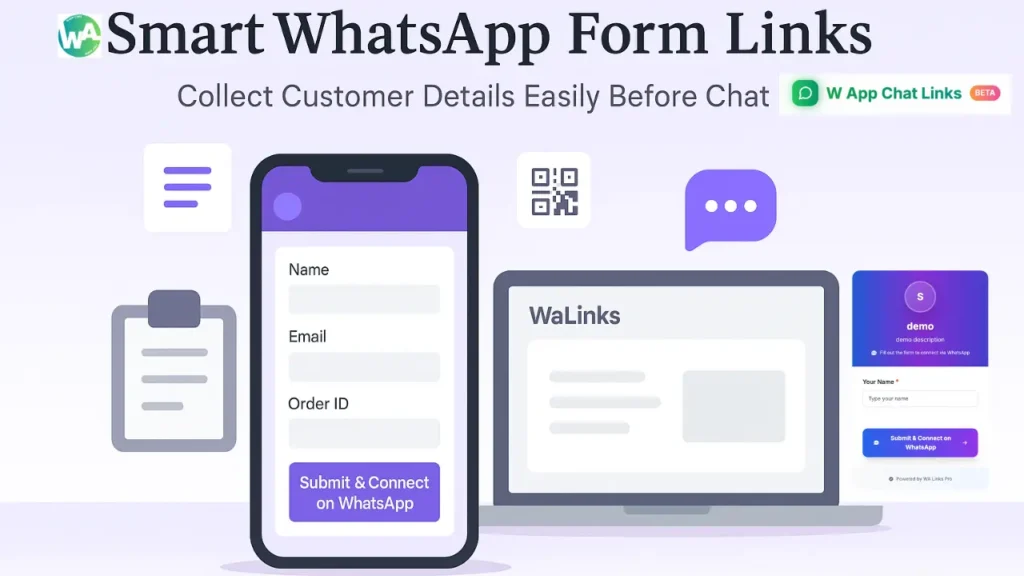
When you talk to customers on WhatsApp, you sometimes need their details first. It can be their name, email, order number, or booking time. Asking these every single time can slow you down and make chats messy. This is where the Form Links feature in WAppChat saves your time and effort.
With Form Links, you can collect all customer details before they start chatting. It works like a short form that users fill out, and when they submit it, the data is sent directly to your WhatsApp. This keeps every chat clean, professional, and faster from the first message.
What Is a Form Link in WAppChat #
A Form Link is a hosted page where your customers can fill in basic details before the chat begins. Once they submit it, those answers come to you in a structured WhatsApp message. You can think of it as a small pre-chat form connected to your WhatsApp number.
Your form link will look like this: https://wapp.chat/f/demo-link-99
When users click on this link, they see your branded form with a submit button that connects them straight to WhatsApp.
Why Businesses Should Use Form Links #
Form Links are made for teams that want better communication and less confusion. You can use them for different reasons, but here are the main benefits that make them useful for every business.
1. Collect Customer Data Before the Chat #
You can gather names, emails, order IDs, or feedback before talking. It helps you understand what the customer needs right away.
2. Save Time and Avoid Repetitive Questions #
No more asking the same details in every chat. Once users fill out the form, all information is sent with the first message, ready for your team to reply faster.
3. Create a Professional Image #
The hosted form looks neat and branded. When customers see a well-designed form before chatting, it builds trust and makes your brand look more organized.
4. Keep Every Chat Structured #
Your team gets consistent data from each customer. It avoids typing errors and makes responses quick and accurate.
5. Reduce Operational Costs #
You don't need extra CRM tools or separate data collection apps. Everything happens inside your WAppChat dashboard.
How to Create a Form Link in WAppChat #
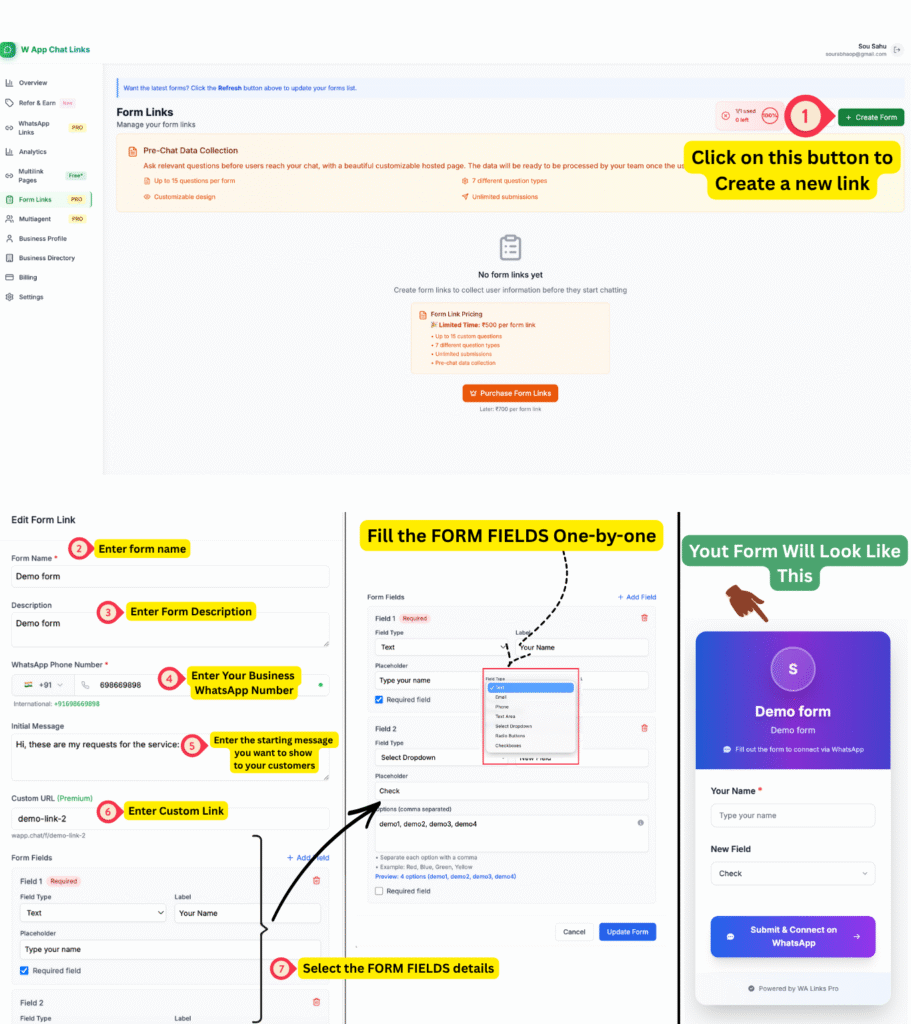
You can create your first Form Link in just a few steps. Let's go through the process shown in the dashboard.
Step 1: Click the "Create Form" Button #
Go to the Form Links section in your WAppChat dashboard. If you haven't created any form yet, it will say No form links yet. Click the green Create Form button on the right to start.
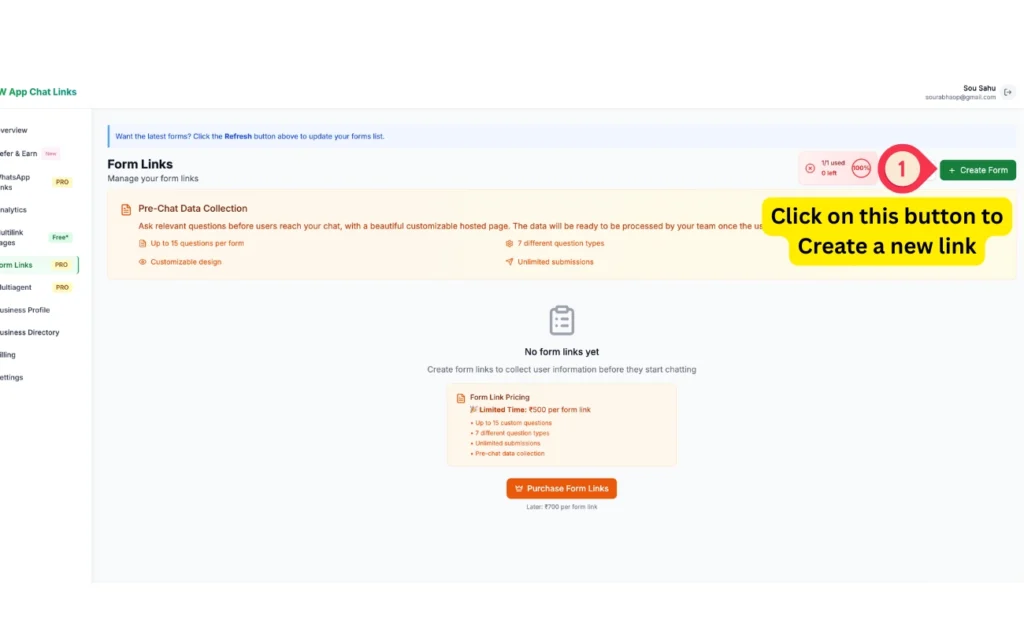
Step 2: Enter the Form Details #
Now fill in all the basic details one by one.
- Form Name: Give your form a title, for example Demo Form or Customer Query Form.
- Description: Write a short sentence about what the form is for.
- WhatsApp Number: Enter your business number where you receive messages.
- Initial Message: Add a short text that appears when the chat starts, such as Hi, thank you for filling the form, how can I help you today?
- Custom URL: Set your preferred short link name such as demo-link-99. If it's already used, try another one until it's available.
Step 3: Add Form Fields #
Next, you can add different questions or inputs using Add Field. Each field can be of different types such as Text, Email, Phone, Text Area, Dropdown, Radio Buttons, or Checkboxes. For every field, you can add:
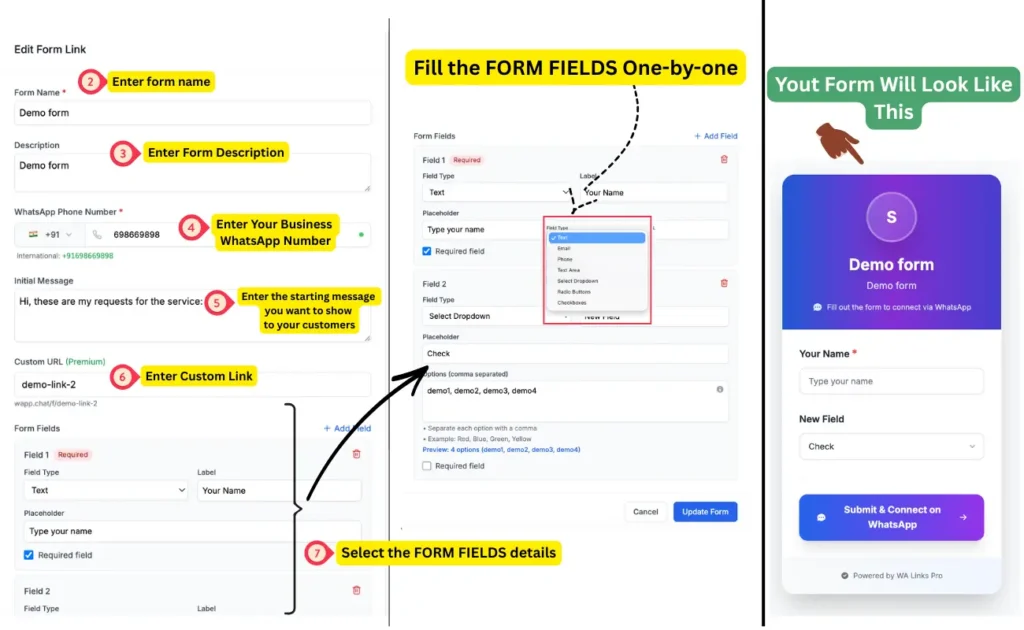
- A Label (example: Your Name)
- A Placeholder (example: Type your name)
- Mark as required or optional.You can add up to fifteen questions in a single form, which gives enough space to collect everything you need from a customer.
Step 4: Preview and Save the Form #
After filling all details and fields, click Update Form to save. The preview panel on the right side shows exactly how the form will appear to your users. It includes your name, description, and a button that says Submit & Connect on WhatsApp.
Step 5: Copy and Share the Form Link #
Once your form is saved, copy your live link and share it anywhere. When users open it, they fill in the answers and submit the form. The collected data appears on your WhatsApp instantly along with their chat message. You can share this form link on your website, social media pages, bio links, or inside emails.
Real Use Cases of Form Links #
Form Links work perfectly for almost every business type.
- Restaurants: Collect customer name, date, and time before taking a reservation.
- Online stores: Ask for order IDs or complaint details before support chats.
- Service agencies: Gather client requirements before the call.
- Schools or institutes: Collect student inquiry forms and contact numbers.
- Event planners: Receive event details and participant information directly.
No matter your niche, if your customers message you often on WhatsApp, Form Links can save you hours of work.
How It Saves Time and Cost #
Form Links combine data collection and chat communication in one process. You no longer need to use tools like Google Forms or type customer data into spreadsheets.
Each submission reaches your WhatsApp automatically, so there's no need for manual entry or follow-ups.
This also reduces tool expenses since you don't have to pay for separate CRM systems. For small businesses and growing teams, this feature helps manage customers faster and at a lower cost.
Tips for Using Form Links Effectively #
Here are some easy tips to get the best results from your form links.
- Keep the form short with only necessary questions.
- Write clear field labels that anyone can understand.
- Use the initial message to welcome customers nicely.
- Test the link yourself before sharing it publicly.
- Add the form link to your WhatsApp bio or QR flyers.
- Match your color theme with your brand identity.
Why Form Links Are a Smart Feature in WAppChat #
Form Links make WhatsApp smarter for business. You get the customer's data before the conversation starts, which means you can handle more chats with less effort. It keeps your workflow neat, your agents informed, and your customers happy.
When you use Form Links, you turn WhatsApp from a simple chat app into a professional communication system. Every form leads to a more organized conversation and better service.
Checklist #
- Go to Form Links in your WAppChat dashboard
- Click Create Form
- Fill out all details
- Add your WhatsApp number
- Create and customize form fields
- Save your form
- Copy and share your link
Final Thought #
When your team handles many WhatsApp chats each day, organization matters more than speed. With WAppChat Form Links, you prepare your chat even before it begins. You save time, reduce mistakes, and make your customers feel valued from the first message.
Written by
Sourabha Kumar Sahu
Founder of WAppChat, building tools that help businesses grow with WhatsApp.