As you know, small businesses run on speed, trust, and direct conversations. WhatsApp has become one of the most used communication tools in daily business life. But what if you could make this process even faster? That's where WhatsApp QR codes step in. A simple scan, and the customer is chatting with you directly.
You might have already seen WA QR stickers outside stores or at billing counters. They are not just for looks. These small codes can help you collect leads, solve problems, increase sales, and even automate support. Platforms like WAppChat now make it much easier to create smart WhatsApp QR codes that route each message to the right person in your team.
Let's explore 10 useful ways these codes can work for your small business.
What Is a WhatsApp QR / WA QR Code? #
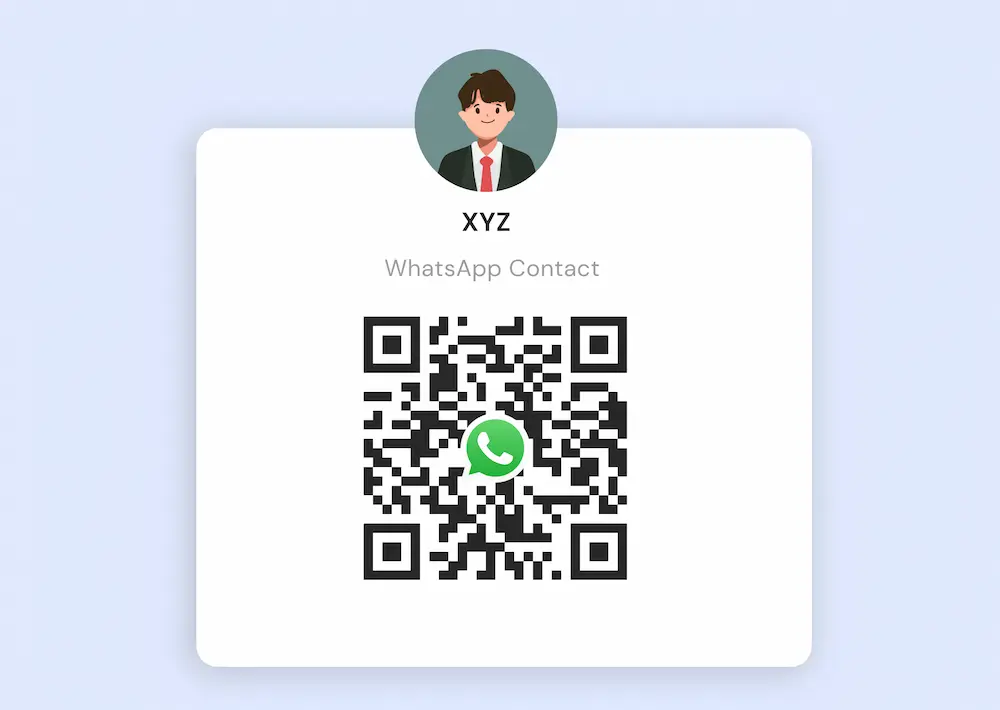
A WhatsApp QR code is a quick-scan image that opens a WhatsApp chat with your business number. No need to save contacts or type anything. Some codes even have a pre-written message already filled in. The customer scans and starts talking.
You can print this QR on your store poster, product box, business card, digital ad, or even email signature. With tools like WAppChat, you can also set up routing. That means support chats go to support staff, orders go to the sales team, and feedback goes to your admin, all through the same QR but managed smartly.
Also Read: WhatsApp Group Marketing in 2026
Now here's the main part.
Lead Generation and Customer Opt-ins #
You can place WhatsApp QR codes on brochures, event posters, or Facebook posts. When people scan it, they land in your WhatsApp chat with a message like:
"Hi, I'm interested in knowing more about your product."
This small step removes hesitation and encourages people to engage. These new contacts can be labeled as "Leads" and assigned to your team automatically.
Customer Support and Quick Queries #
Let me tell you, nobody likes long phone queues. You can paste a WhatsApp QR on your product packaging or printed bill. If someone has a question or complaint, they scan and message. Done.
You can even set quick replies for common questions like "Where is my order?" or "How to use this?"
Product Inquiry and Instant Sales Chat #
Suppose you run a furniture store. Near each product, add a QR saying:
"Scan to ask about delivery or color options."
People scan and instantly ask what they need. You reply on WhatsApp, confirm order, done. Simple.
Appointment and Booking Requests #
Salons, tutors, and clinics can all benefit here. You can keep a WA QR on your counter or website. People scan it and send a pre-written message like:
"I want to book an appointment this Saturday."
You reply with available slots. No third-party apps needed.
Collecting Feedback and Customer Reviews #
Want reviews? Add a WhatsApp QR on your bill or delivery box saying:
"Scan and share your feedback."
People feel more relaxed texting than filling out a form. If you handle this smartly, you can even segment happy users for future offers.
Also Read: Multiagent WhatsApp System – Smart Chat Distribution
Promotions and Discount Campaigns #
Planning a festive sale? Print a QR on your poster or Instagram post.
"Scan to get your 10% coupon code"
This way, your campaign becomes personal. The customer receives the offer right inside WhatsApp.
Offline to Online Bridge #
This one is very common now. Supermarkets, cafes, or shops add WA QR stickers near counters or doors. People scan it and:
- See the menu
- Chat to place a pickup order
- Ask about timings or offers
"The thing is very clear here". Your physical customers become digital contacts. Later you can follow up with updates and offers.
Event Networking and Business Cards #
If you attend events or markets, add a WhatsApp QR on your visiting card. You won't believe this, but most people won't type your number. But they will scan and message.
Even better, the QR can include a message like:
"Hi, I met you at the ABC expo, here are my requirements."
Contests, Giveaways and Lead Magnets #
Want more engagement? Run a poster campaign with something like:
"Scan this to enter our lucky draw."
Once the person lands on WhatsApp, you collect their number, message them updates, and later pitch your main product.
Best Practices and Tips #
- Keep the QR clean and readable. Avoid putting it on dark or cluttered areas.
- Always add a CTA near the QR. Like "Scan to chat with us now."
- Use prefilled messages like "Hi, I want to know about your service."
- Try placing it on receipts, menus, delivery bags, table tents, etc.
- Respond fast, or customers will lose interest.
Conclusion #
WhatsApp QR codes are not a fancy tool anymore. What you need to understand is this, they are now a basic necessity for small business marketing and support. One scan brings a customer into a chat. No delay. No typing.
You can start by creating your own WhatsApp QR Try putting it on your counter, delivery slip, or even your email footer. Pick one or two ideas from above, test them, and slowly expand.
Soon you'll see how that tiny square can bring big results for your business.
Written by
Sourabha Kumar Sahu
Founder of WAppChat, building tools that help businesses grow with WhatsApp.