A customer sees your advertisement and opens WhatsApp. They type “Price” and wait for your response.
At the same time, another customer asks for your location, someone wants a brochure, and a previous lead wants to book a demo. Your team now has several conversations that need attention.
Most of these questions are not difficult. Your team may have answered them many times before. Still, each customer expects a timely and useful response.
This is where WhatsApp automation can help.
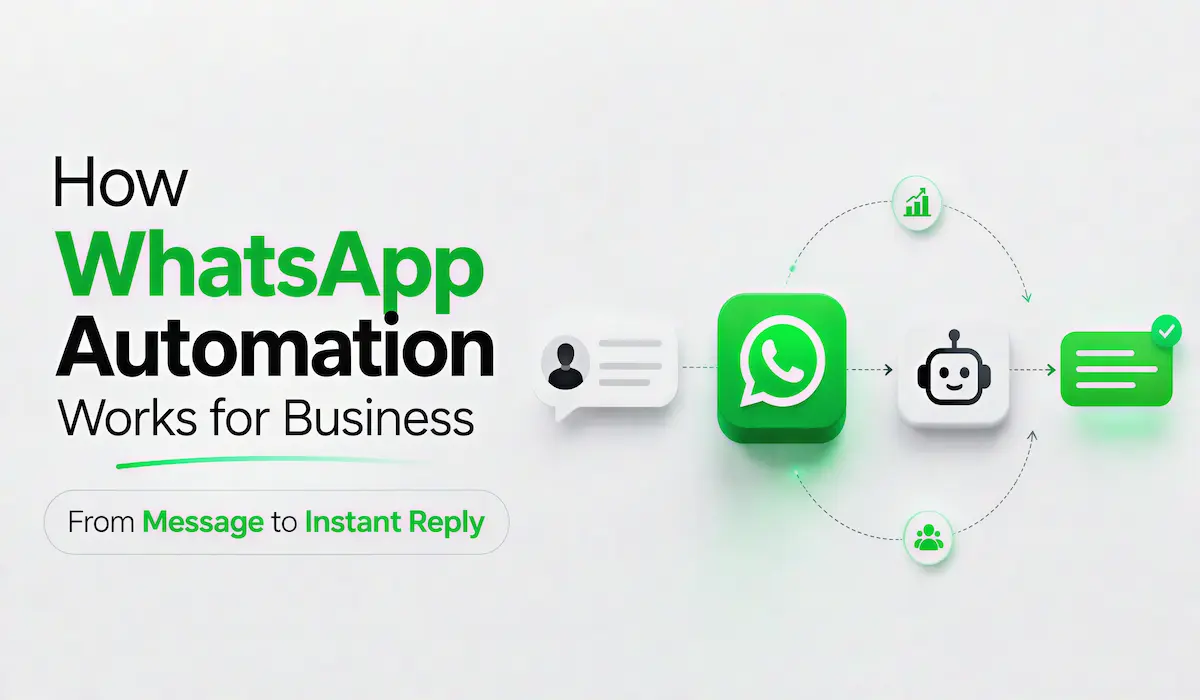
WhatsApp automation connects incoming customer messages with predefined replies and business actions. A message such as “price” can show your latest plans. A support request can move the conversation to a team member.
WAppChat helps businesses create these workflows using the official WhatsApp Cloud API. You can automate repeated replies, organise contacts, collect files, manage approved templates and follow conversations through a shared inbox.
What Is WhatsApp Automation? #
WhatsApp automation is a system that performs selected actions after receiving a customer message or another business event.
It is not limited to sending bulk messages.
You can use it to answer common questions, collect lead details, send approved message templates and move important conversations to your team.
For example, suppose you manage a coaching institute. Students may regularly ask about fees or available courses.
You can create a workflow that recognises these questions and sends the relevant information. A student who writes “fees” can receive your current course plans. A student who writes “demo” can enter a demo-class booking flow.
How a WhatsApp Automation Workflow Works #
A useful automation may look simple to the customer. Several actions happen behind the message. Here is what normally happens after someone contacts your business.
1. The Customer Opens a WhatsApp Conversation #
The customer may reach you through your website, Instagram bio, advertisement, QR code or a direct WhatsApp link.
You can also use a pre-chat form to collect useful details before the person reaches WhatsApp.
For example, a property business can ask for the customer’s name, budget and preferred location. A service business can ask for the required service and city.
WAppChat provides branded WhatsApp links, QR codes and form links. These entry points help you guide customers into the correct conversation.
2. The Message Reaches Your Connected WhatsApp Number #
After the customer sends a message, the official WhatsApp Cloud API passes the incoming information to the connected system.
The automation platform can identify the WhatsApp number that received the message. It can also identify the relevant business account and available workflow.
This separation is important for businesses that manage more than one WhatsApp number. A keyword used for one brand should not trigger an unrelated reply from another brand.
3. The System Checks the Message #
The workflow examines the customer’s message and checks whether it matches an existing rule.
Suppose you have created the following rules:
| Customer message | Automated action |
|---|---|
| Price | Send current pricing |
| Brochure | Send a brochure or download link |
| Book | Open an appointment flow |
| Location | Send the business address |
| Demo | Collect details for a demo |
| Support | Move the chat to the support process |
The system can also check the customer’s existing tags and previous conversation history.
A new lead may receive an introductory flow. An existing customer may receive a support response. A customer already speaking with a team member should not receive unnecessary automated messages.
4. The Correct Reply or Action Is Selected #
The workflow chooses the action connected with the customer’s request.
That action may send a text reply, show WhatsApp buttons, display a list, apply a contact tag or request a file.
A workflow does not always need to give the complete answer immediately.
For example, a customer may write “quote.” The automation can ask for the service type and location. It can also request a photo. Your team receives the basic information before joining the conversation.
This saves time for both sides.
5. The Conversation Is Saved #
A business conversation may continue for several days.
Your team needs to know what the customer asked, which response was sent and what action should happen next.
A shared inbox and contact timeline can keep this information connected with the customer. Your sales or support team can review the earlier conversation before replying.
WAppChat provides a shared inbox and message history for connected contacts. This can reduce repeated questions inside your own team and make the handover process easier.
6. A Human Team Member Takes Over When Required #
Automation should handle repeated work. It should not force every customer through a fixed flow.
Some conversations need human judgement.
A customer may have a payment problem or a lead may want a customised quotation. These cases should reach the correct person.
A good workflow gives the customer an easy way to request human help. It also gives your team enough context to continue the conversation without asking the customer to repeat everything.
Why Businesses Use WhatsApp Automation #
The main purpose of automation is not to remove people from customer communication. Its purpose is to remove unnecessary repeated work.
Customers Receive Timely Replies #
A customer may contact you outside normal working hours. They may also message while your team is busy with other conversations.
Automation can instantly provide basic information or service details. The customer does not have to wait for common information. Your team can focus on questions that need direct attention.
Your Information Remains Consistent #
Manual replies can vary from one team member to another. One person may send an old price. Another person may miss an important condition. Someone may forget to include a booking link.
An automated response gives every customer the same approved information. You can update the workflow whenever your offer or policy changes.
Leads Can Be Organised Properly #
Not every person who contacts your business is at the same stage. One person may only want general information while another may be ready to purchase.
Contact tags help you separate these conversations. You can later use these groups for suitable follow-ups and approved template campaigns.
Your Team Gets Better Visibility #
Customer conversations may be difficult to manage when everything depends on one phone. A shared dashboard gives the team a common place to review replies and message history.
This is useful for sales teams, support desks, clinics and institutes where more than one person may handle customer communication.
WAppChat also offers routing and handoff tools for businesses that need to distribute conversations across different team members.
Real Business Examples of WhatsApp Automation #
WhatsApp automation can work across many types of businesses. The workflow should match the questions your customers already ask.
Local Service Businesses #
Suppose you manage an appliance repair service.
A customer writes “repair.” The workflow asks which appliance has a problem. It requests the customer’s location and a product photo.
Your team receives useful information before making a call or giving a quote.
The same process can work for cleaning services, home maintenance, photography and local consultants.
Ecommerce and Catalogue Sellers #
Customers often ask whether a product is available. They may also ask about delivery, returns or catalogue options.
Automation can send the relevant catalogue or product link. It can answer basic delivery questions and move complex order issues to your support team.
Clinics and Appointment-Based Businesses #
A patient may write “appointment” or “book.”
The workflow can ask for the service, preferred date and basic contact details. It can send the request to the appointment team.
The final booking may still need confirmation from a person. However, the basic information is already collected.
How a WhatsApp Automation System Is Planned #
A customer only sees the final message. Behind that response, different parts of the platform need to work together.
The system must receive the message > identify the correct business account > check the relevant rule and store the customer’s conversation. It must also send the selected response without processing the same message twice.
Developers who are planning a platform like this can use a High-Level Design guide to understand concepts such as requirements, APIs, databases, message queues, scaling and architectural trade-offs.
These concepts help developers decide how the individual parts of a system should communicate. They also help the platform handle traffic increases and temporary service failures.
As a business user, you do not need to manage these technical details yourself. You should still choose a platform that uses a structured and reliable approach.
Important Features to Check in a WhatsApp Automation Platform #
Different tools use the word “automation” for very different features.
Some tools only provide prepared replies. Others may depend on unofficial browser-based systems. A complete business platform should support more than one automatic message.
Official WhatsApp Cloud API Support #
A business platform should work with the official WhatsApp Business Platform.
This provides a proper setup for webhooks, templates and business messaging. Meta also provides official documentation and development resources for the WhatsApp Business Platform.
WAppChat states that its automation system is designed for official WhatsApp Cloud API workflows.
Keyword and Workflow Automation #
You should be able to create different actions for common messages such as “price,” “demo,” “book” and “support.”
A visual workflow builder can help you decide what reply or action should follow each customer choice.
WAppChat’s Automation plan includes a visual no-code flow builder and automated replies for common business requests.
Approved Template Management #
WhatsApp templates are important for selected business-initiated messages and conversations outside the active reply window.
Your platform should help you manage approved templates and use them for suitable opted-in contacts.
External Business Integrations #
You may want your CRM or appointment system to trigger a WhatsApp workflow.
For example, a new lead from your website can enter a follow-up process. A confirmed appointment can trigger an approved message. A change inside Google Sheets can send an event to your automation system.
WAppChat’s Automation API supports authenticated events from systems such as CRMs, Google Sheets, n8n, Shopify, appointment tools and lead forms.
WhatsApp Business App Versus WAppChat Automation #
The WhatsApp Business App can work well for a small business with a limited number of conversations.
It provides useful business features and manual quick replies. However, your work may become difficult once you need account-specific workflows, shared visibility, contact campaigns or external integrations.
Here is a simple comparison:
| Area | WhatsApp Business App | WAppChat Automation |
|---|---|---|
| Common replies | Mainly manual quick replies | Automatic keyword-based replies |
| Workflow creation | Limited automation options | Visual no-code workflows |
| Team visibility | Mainly phone-focused | Shared dashboard and inbox |
| Lead organisation | Manual labels and follow-up | Tags, contact history and workflows |
| File requests | Managed manually | File collection inside workflows |
| Campaigns | Limited manual management | Approved-template campaigns |
| External events | Limited | API and webhook automations |
| Multiple numbers | Separate manual management | Plan-based multi-number support |
How to Create Your First WAppChat Automation #
Your first workflow does not need to be complex. Start with the questions your team answers every day.
Step 1: Connect Your Official WhatsApp Cloud Number #
Choose a WAppChat plan that supports your required number of WhatsApp accounts.
The Starter plan supports one official WhatsApp Cloud number. The Automation and Business plans support additional numbers and workflow capabilities. Pricing and plan limits can change. You should check the current pricing page before selecting a plan.
Step 2: List Your Most Repeated Questions #
Review your recent customer conversations.
Write down the questions that appear regularly. You may find messages about pricing, location, bookings or product details.
Start with a small number of useful queries. You can add more workflows after reviewing the results.
Step 3: Prepare a Helpful Reply #
The reply should answer the customer’s question without unnecessary text.
For a pricing keyword, you can mention your current plans and add a button for a demo.
For a location keyword, send your full address and map link.
For a brochure request, share the correct file and ask whether the customer wants to speak with your team.
Step 4: Add the Required Workflow Action #
Decide what should happen after the reply.
You may apply a lead tag, request a file, show buttons or move the customer to another workflow.
Step 5: Test the Workflow #
Do not test only the exact keyword.
Customers may type “price please,” “send price” or “what is the cost.”
Also test spelling mistakes and repeated messages. Check that a customer does not receive conflicting replies.
Test the human handover option as well.
Step 6: Review Real Conversations #
After launching the workflow, review how customers use it.
You may notice that people use a different keyword than expected. Some replies may need additional information. A workflow may need a direct path to human support.
Automation improves through real customer conversations.
Is WAppChat Suitable for Your Business? #
WAppChat can be useful when your business receives regular WhatsApp enquiries and your team spends too much time on repeated replies.
It is especially relevant for education businesses, local service providers, catalogue sellers, clinics, property teams and customer-support operations.
You can use it to automate common replies and collect customer information. You can also organise contacts, manage approved templates and move important conversations to your team.
WAppChat connects these features with branded WhatsApp links, QR codes and pre-chat forms. This gives you a path from the customer’s first click to the final business conversation.
Final Thoughts #
WhatsApp automation works best when it supports your team instead of trying to replace every human conversation.
The result is a smoother process for your business and the customer.
Explore WAppChat WhatsApp Automation to see how you can automate repeated questions and manage business conversations from one dashboard.
Frequently Asked Questions #
Can WhatsApp replies be automated? #
Yes. You can create workflows that respond to selected keywords, customer actions or events received from another business system. The exact features depend on your platform and WhatsApp Business setup.
What can WAppChat automate? #
WAppChat can automate common replies, lead follow-ups, approved-template campaigns, contact tagging and file collection. It also supports shared inbox and message-history features.
Does WAppChat use the official WhatsApp API? #
WAppChat states that its automation is built for official WhatsApp Cloud API workflows.
Can customers send files through a WAppChat workflow? #
Yes. File collection is included in WAppChat’s automation features. It can be used to request photos, forms and other supporting files from customers.
Can WAppChat connect with external tools? #
Yes. WAppChat’s Automation API can receive authenticated events from CRMs, Google Sheets, n8n, Shopify, appointment systems, property tools and lead forms.
Is WhatsApp automation suitable for a small business? #
Yes. A small business can start by automating only a few repeated questions. The workflow can grow later as the business receives more enquiries and adds more team members.
Written by
Sourabha Kumar Sahu
Founder of WAppChat, building tools that help businesses grow with WhatsApp.