If you are using WAppChat to manage your WhatsApp Links, setting up your business profile and directory listing is an important step.
It helps customers discover you faster, builds trust, and gives your brand a professional identity.
Along with this, WAppChat also includes a dedicated settings page where you can manage your account preferences, security, and notifications.
This guide explains how to set up your Business Profile, get listed in the Business Directory, and use the Settings Page to manage your account easily.
What Is the Business Profile in WAppChat #
The Business Profile is your public identity inside WAppChat. It contains your brand name, contact details, and business information that appear in the directory search results. You can create this once and update it anytime.
When you set up your business profile, your listing becomes searchable, and people can reach you directly via WhatsApp, website, or email. It works like your digital visiting card for other businesses and potential customers.
How to Create or Update Your Business Profile #
Setting up the Business Profile in WAppChat is simple. You can follow these steps to complete it in a few minutes.
Step 1: Go to the Business Profile Page #
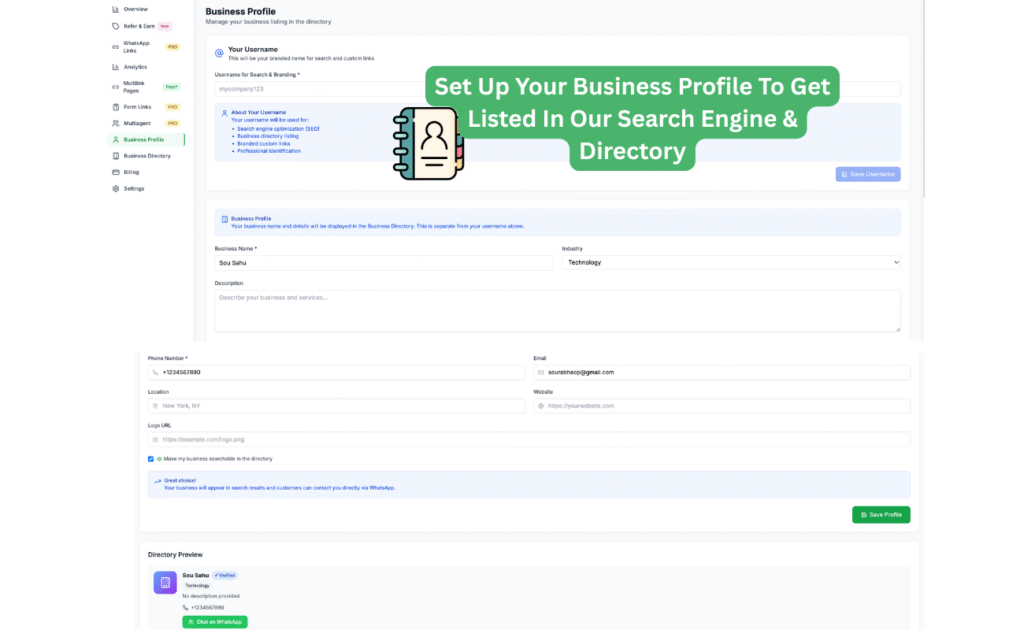
From your WAppChat dashboard, click Business Profile on the left sidebar. You'll see a form with fields to fill in your details.
Step 2: Set Your Username #
Your username is the brand handle used for directory listings and custom link branding. You can enter a short, easy-to-remember name like mycompany123. It helps with SEO and professional identification, especially for wordpress seo services. Once you save it, this username appears in search results and branded URLs.
Step 3: Add Your Business Details #
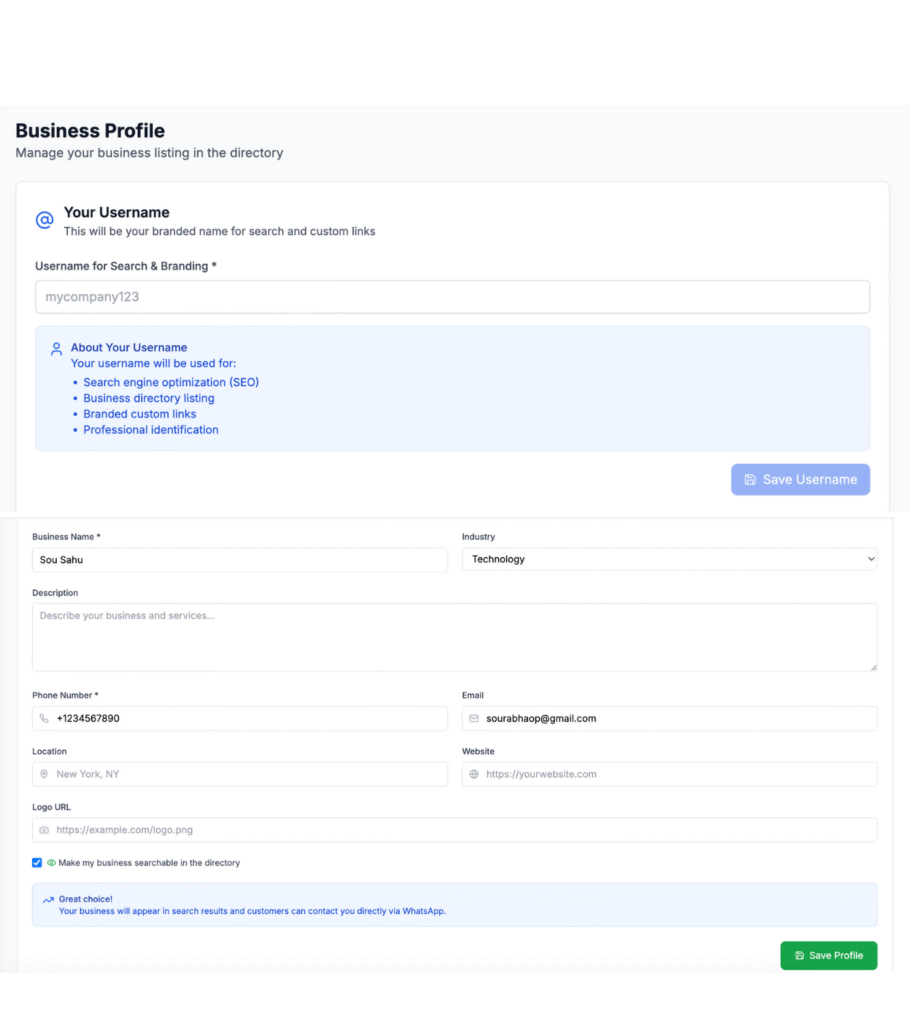
Fill in the details for:
- Business Name: The name of your company or brand.
- Description: A short summary about what your business does.
- Industry: Choose the category your business fits into.
- Phone Number: Add your business contact number.
- Email and Website: Include your official email and link to your website if available.
- Logo URL: Upload your business logo to make your profile look professional.
Step 4: Make Your Business Searchable #
There's a checkbox labeled Make my business searchable in the directory. Turn it on to make your business visible to others in the WAppChat Business Directory. When enabled, other users can find your business by name, username, or industry.
Step 5: Save and Preview #
Click Save Profile at the bottom. Once saved, you can see a live preview of how your profile looks to others. It shows your name, contact options, and verified badge if available.
How to Get Listed in the Business Directory #
After setting up your Business Profile, your listing automatically appears in the Business Directory. The Business Directory is like a search engine for businesses using WAppChat.
What You Can Do in the Business Directory #
- Discover verified businesses across industries.
- Search by name, username, or keyword.
- Filter listings by category or location.
- View contact options such as WhatsApp, website, or email.
This directory helps you connect with other business owners and clients who use WhatsApp for work. It builds credibility for your brand and opens more networking opportunities.
Why It Is Useful #
When your business is listed, others can find you instantly through the search bar. For example, if someone searches for "technology," your business will appear if you are in that category.
This visibility is valuable for freelancers, small agencies, and online sellers who want to reach more people without spending money on ads.
How to Use the Directory as a Business Owner #
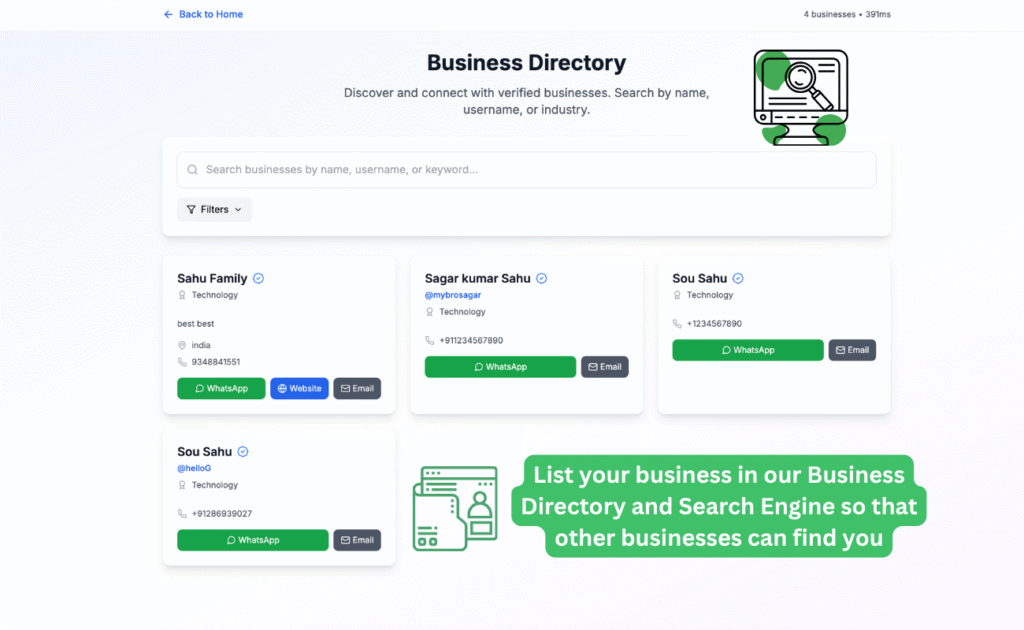
Once your profile is listed, you can:
- Share your directory link with clients to show them your verified profile.
- Use your listing in proposals or presentations to add credibility.
- Discover other businesses to collaborate with inside the WAppChat network.
- Connect with verified partners for projects, sourcing, or services.
It is not just a directory; it is a growing business community inside WAppChat where trust is verified by platform use.
Benefits of the Business Directory and Profile Integration #
Your profile becomes visible to thousands of WAppChat users. You can gain direct WhatsApp leads without sharing numbers manually. It helps build online presence without a website. You can manage your brand visibility inside one platform.
It supports small businesses and agencies that rely on WhatsApp communication. This feature saves time and simplifies branding because you no longer need third-party tools or directories to list your business.
Understanding the Settings Page #
The Settings Page in WAppChat is where you control your account preferences, password, notifications, and data exports. It ensures your account stays secure and customized according to your needs.
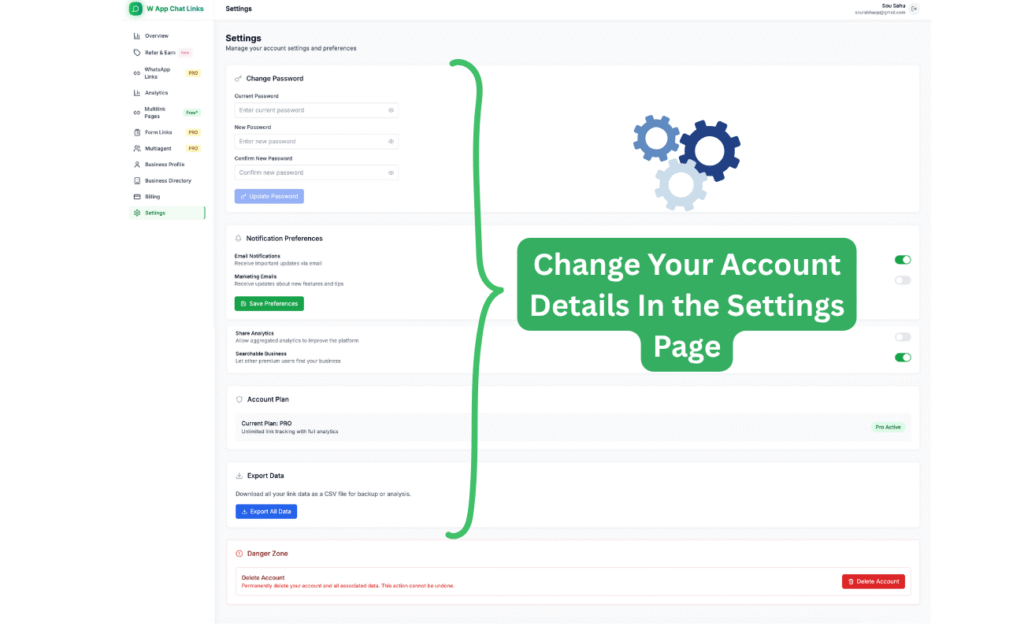
Main Sections of the Settings Page #
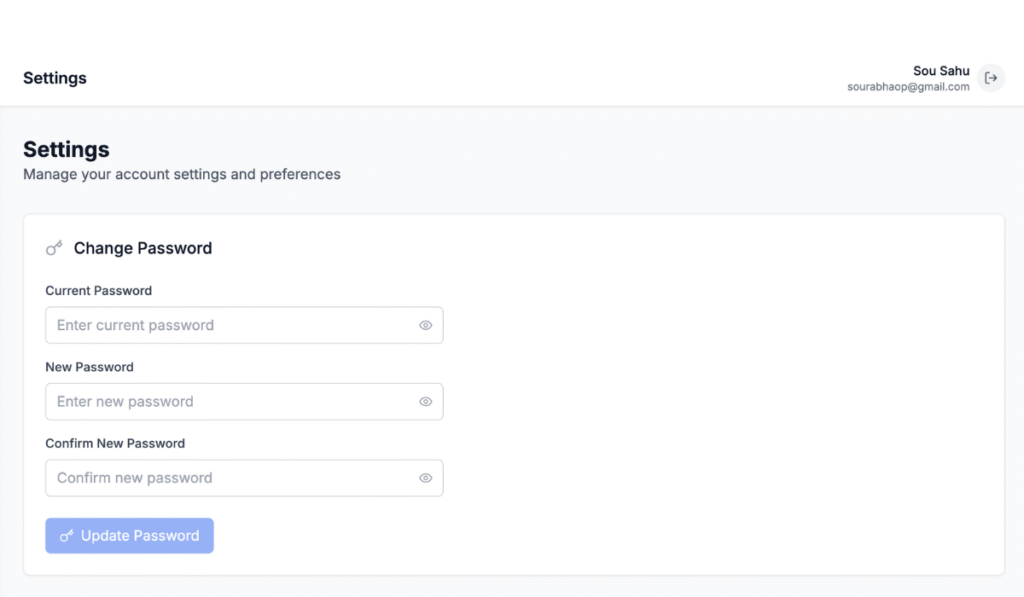
1. Change Password #
You can change your password anytime. Enter your current password, then the new one, and confirm it. This keeps your account safe and prevents unauthorized access.
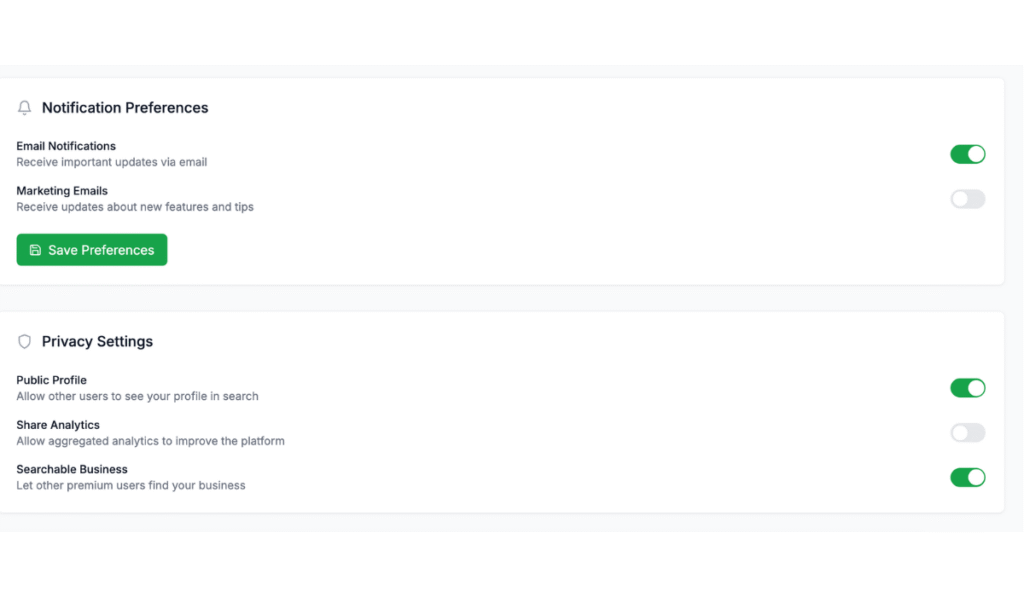
2. Notification Preferences #
You can enable or disable email notifications. There are two types of emails:
- Important updates such as feature changes or alerts.
- Marketing emails about new tools, offers, or updates.You can toggle them on or off and click Save Preferences to confirm.
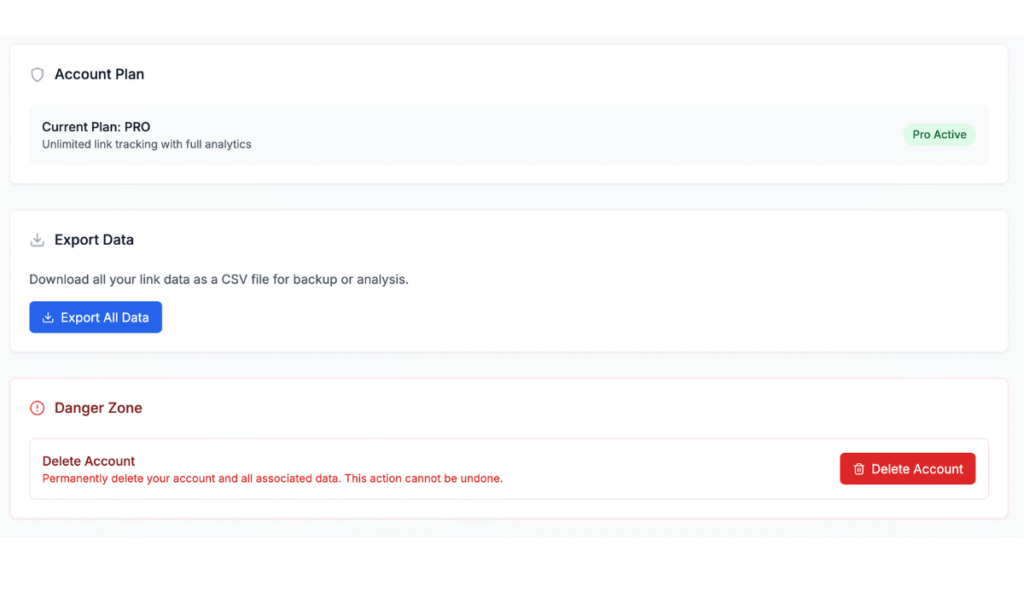
3. Account Plan #
This section shows your current plan type, such as Free or Pro. You can see what features your plan supports and decide if you want to upgrade.
4. Export Data #
You can download all your link data as a CSV file for record keeping or analysis. It's a useful option if you manage many links and want to back up your performance history.
5. Share Analytics and Business Search #
You can allow or disable analytics sharing. Premium users can also let other verified users find their businesses in the directory search.
6. Danger Zone #
At the bottom, there's an option to delete your account permanently. Use this only if you want to remove all your data.
Why You Should Set Up These Sections Together #
Your Business Profile, Directory, and Settings work best when used together. The Business Profile builds your identity. The Directory helps people find and contact you. The Settings keep your account safe and organized.
When combined, they create a strong foundation for managing all your business activities through WAppChat. You can connect with clients, share your contact links, and control your privacy all in one platform.
Practical Example #
Imagine you are a small marketing agency. You create your business profile with your name, logo, and WhatsApp contact.
You enable the searchable option so your business appears in the directory. When another business searches for marketing services, your profile appears with a verified tag. They can message you directly on WhatsApp to discuss a project.
Meanwhile, you go to your Settings page, change your notification preferences, and export your link data for review. In one visit, you managed your visibility, security, and analytics without using any external tools.
Tips to Improve Your Business Listing #
Keep your business description short and clear. Upload a professional logo or image. Update your contact details regularly.
Make sure your username matches your brand name. Check your directory listing once a week for updates. These small steps help your business look more professional and attract more visibility in the directory.
For better results, you can also consult a reliable digital marketing agency to optimize your listings and improve overall visibility.
Checklist #
- Create or update your Business Profile
- Add logo, website, and correct contact info
- Enable searchable option for directory visibility
- Review your listing inside the Business Directory
- Update your password and email preferences in Settings
- Export your data monthly for tracking
Final Thought: WAppChat makes business management on WhatsApp more organized. The Business Profile and Directory help people find and connect with you, while the Settings Page gives you complete control over your account and privacy. Together, they create a professional system where your brand identity, communication, and data are all managed under one clean dashboard.
Written by
Sourabha Kumar Sahu
Founder of WAppChat, building tools that help businesses grow with WhatsApp.