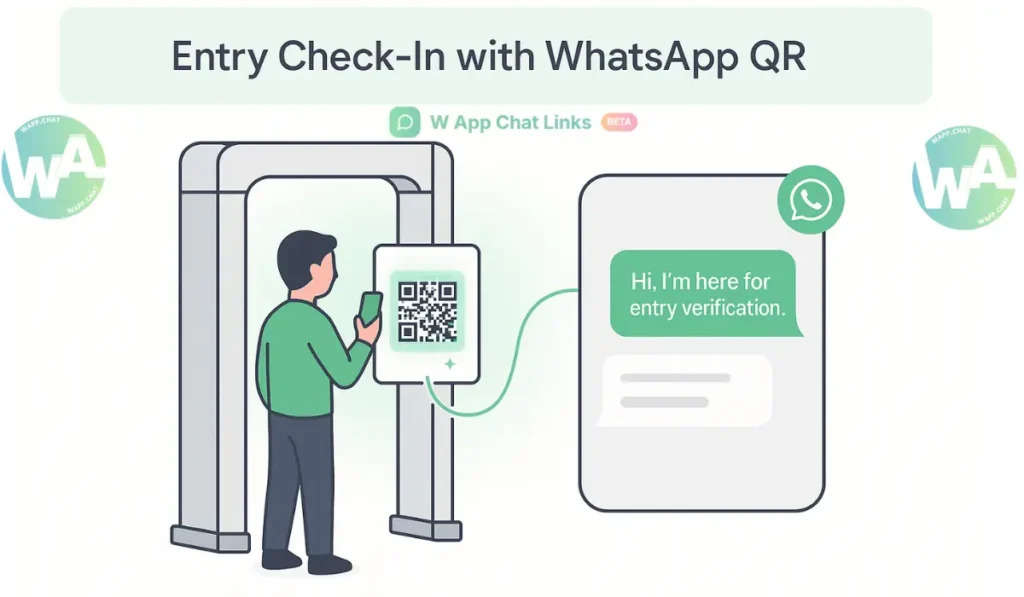
Anyone who has handled an event knows how fast things slip into confusion. People try to ask about passes, seating, or directions at the same time. Calls stay unanswered, emails move slowly, and long registration forms feel heavy when everyone is in a rush.
WhatsApp QR codes solve this by turning a quick scan into a direct chat that reaches your team without delay. The conversation starts within seconds, and the flow becomes far easier to manage.
There is a reason this works so naturally. WhatsApp already sits in daily use for most people. When you connect it with smart QR codes that contains WhatsaApp links, the messages gain structure.
The chats move through organized routes, and every scan becomes part of a system that you can track and improve.
Why WhatsApp QR Codes Make Sense for Events #
WhatsApp feels simple to interact with. Guests skip long forms and move straight to a conversation that feels personal. You can send updates, confirm attendance, share maps, or adjust instructions without sending people across different apps. The information stays in one familiar place, and the user feels comfortable from the first message.
What Makes It Work #
- Direct connection that removes slow email loops
- Fast replies because the team stays on WhatsApp
- Data you can review after the event
- A friendly tone even when the reply comes from automation
This is the reason WAppChat QR codes appear in small meetups, mid-scale workshops, and large public events.
How Event Creators Use QR Codes #
The point is simple here. A QR code is not just a shortcut. It becomes a separate channel that supports a specific task. When you use a different QR for each need, the event runs with far more control.
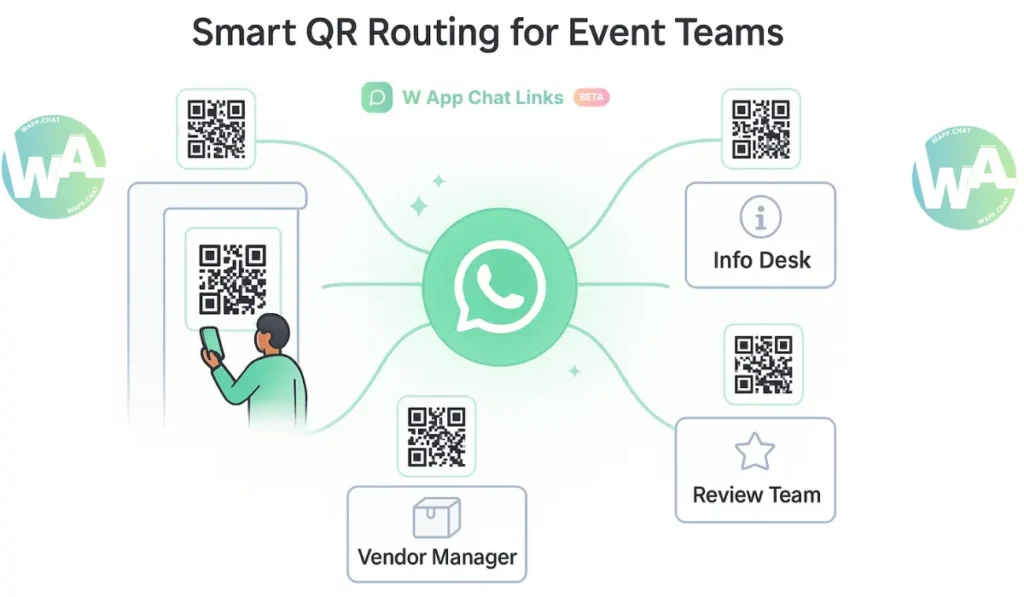
QR Types Used by Event Teams #
When these codes sit in the right spots, the entire event runs through WhatsApp without needing any heavy ticketing software.
Setting Up WAppChat for Event Management #
In this step, you can set everything inside the WAppChat event QR system, where each link group connects to the right department automatically.
Add a short prewritten message to each link so the chat begins with context. Those details help your team understand what the person needs before typing a reply.
You can print the entry QR at gates, place the info QR on banners, and show the feedback QR near exits. The routing then sends each chat to the correct team without any manual sorting.
Example: Tech Conference in Action #
A tech conference in Austin used separate QR codes for registration, support, speaker queries, vendor tasks, and feedback. Each QR sent chats to a different number.
The analytics later showed that the support QR had the highest scan count during morning sessions. That insight helped the team adjust volunteer placement and respond quicker during peak hours at the next event.
Managing Bookings and RSVPs through WhatsApp #
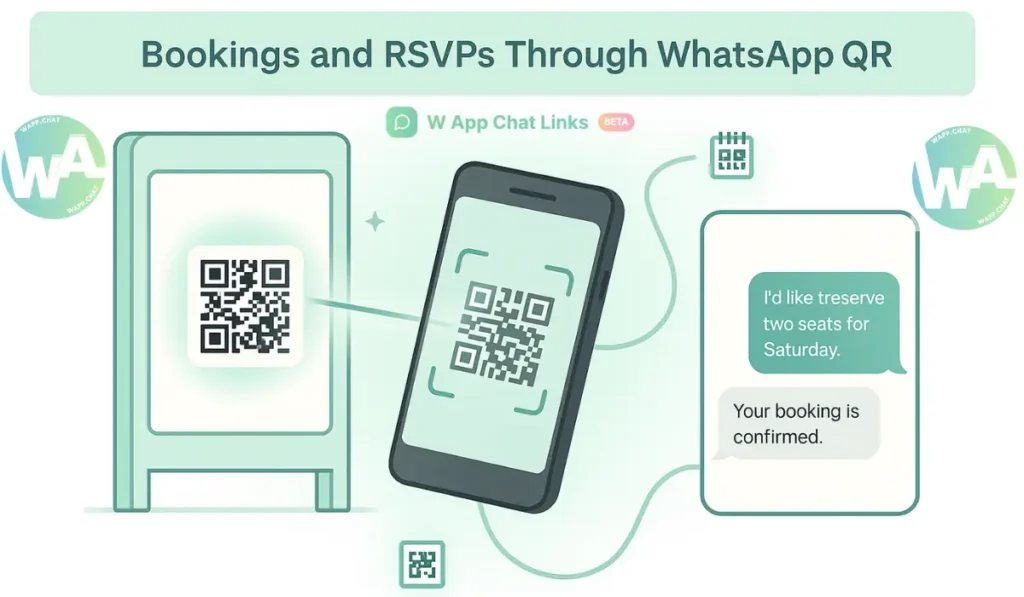
Event QR codes also support bookings. You can add one on posters or share it online. A person scans it and a prewritten message like "I'd like to reserve two seats for Saturday's session." goes out instantly.
Your team replies with availability, confirms the reservation, and shares digital passes inside WhatsApp.
This fits small workshops very well. Attendees avoid long forms, and your team still collects names, timings, and other details through the chat thread.
Why It Works Better #
- Guests avoid switching apps
- Organizers respond quickly with ready templates
- Cancellations or changes stay inside one thread
- All chat records stay intact for future reference
The entire process feels natural on both sides.
Improving Crowd Coordination with QR Analytics #
What you need to understand is this. Every QR code created in WAppChat has its own analytics. The scans, chat volume, and reply time appear on your dashboard. These numbers help your team decide where to place staff or how to prepare for peak moments.
If a gate QR receives hundreds of scans at a certain hour, you know when to bring in more volunteers. If the helpdesk QR shows slower replies, you can shift more people to that location.
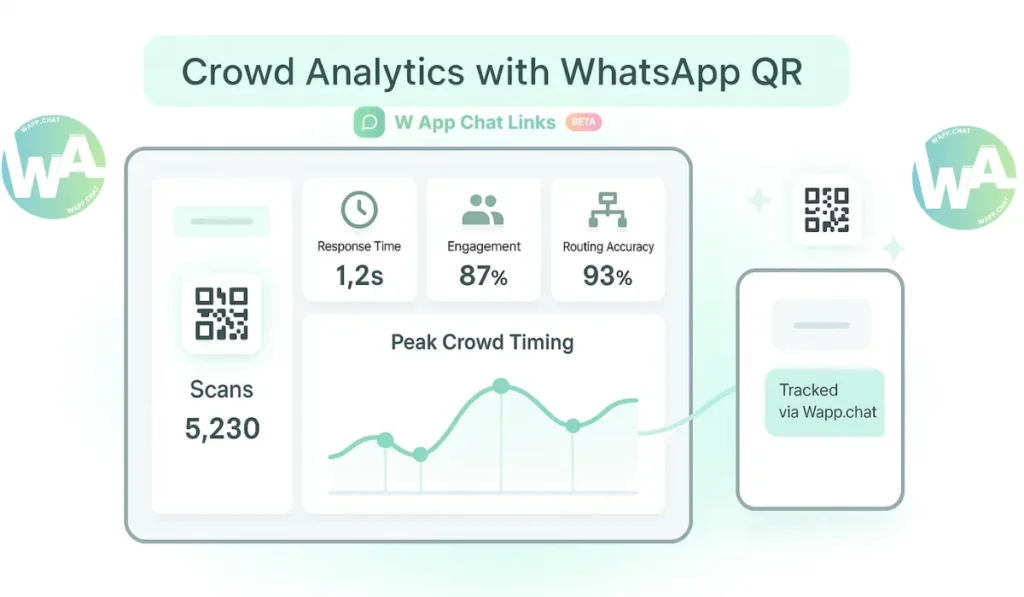
Key Metrics to Watch #
When you review this every week, your next event becomes cleaner, smoother, and easier to handle.
Avoiding Common Mistakes #
One small mistake many teams make is using a single QR code for all tasks. You should always create separate QRs for entry, help, vendors, and feedback.
Another issue appears when codes sit in dark areas or are printed at very small sizes. You can test them on different phones before the event starts so scanning stays effortless.
You can also adjust your auto-reply message. If someone scans a QR after hours, a simple message like "We will reply first thing in the morning." sets the right expectation.
Real-Life Example: Art Expo Coordination #
An art expo in Chicago added QR codes at booths. Visitors scanned them to learn about artists or buy artwork through WhatsApp.
The organizer reviewed WAppChat analytics and discovered that booths with steady chats recorded higher sales. That insight helped rearrange booth layout for the next event and created a smoother crowd flow.
The entire process felt easier, and fewer questions went unanswered. Visitors enjoyed the event because the information stayed accessible.
Why WAppChat Works Best for Event Teams #
The main thing is that WAppChat blends routing, communication, and reporting in one place. You can see who scanned a code, who replied, and how fast the issue was handled.
The team avoids confusion, and every chat lines up neatly inside WhatsApp. That structure also gives you ready data for post-event evaluation.
Instead of switching between tools, the team stays inside one app that people already rely on.
Conclusion #
A successful event depends on smooth communication. WhatsApp QR codes make it faster by turning a quick scan into a clear conversation.
You can manage bookings, entry checks, vendor tasks, and feedback from one place. WAppChat turns these scans into structured data so you can plan with confidence at your next event.
At the end of the day, an event becomes less stressful when the communication stays organized.
The broader shift toward quick chat-based interaction becomes even clearer when you read the WhatsApp Business guide, which explains how people rely on instant messages during busy moments.
Checklist #
- Create separate QR codes for each team
- Add prewritten messages for instant context
- Test QR placement and scan quality
- Track scans, replies, and routing in WAppChat analytics
- Use the collected data to plan your next event smarter
Some FAQs #
1. Do WhatsApp QR codes work for both small and large events? #
They work well for workshops, expos, concerts, and conferences because the chats stay organized and the team replies faster.
2. Can I track scans and responses from each QR code? #
WAppChat shows scan numbers, message volume, and reply speed for every QR so you can plan staffing and support more accurately.
3. Where should I place QR codes for better results? #
You can place entry QRs near gates, info QRs on banners, vendor QRs at booth areas, and feedback QRs near exits so guests reach the right team instantly.
4. Can WhatsApp QR codes handle bookings or RSVPs? #
A prewritten message starts the booking chat, and your team confirms seats or reservations inside WhatsApp without any forms.
Written by
Sourabha Kumar Sahu
Founder of WAppChat, building tools that help businesses grow with WhatsApp.